
OpenClaw is an open‑source AI agent that runs on your own hardware and connects to chat platforms like WhatsApp, Telegram, Slack, and more, acting as a 24/7 digital operator for your life and workflows. It can execute shell commands, automate your browser, manage email and calendars, and run scheduled tasks without you needing to prompt it every time. In this guide, you’ll learn what OpenClaw is, what kind of computer you need, and which Amazon PCs are ideal for running it smoothly and safely.
What Is OpenClaw and Why It’s Exploding in Popularity
OpenClaw (formerly Clawdbot and Moltbot) is an autonomous AI assistant designed to run locally while integrating tightly with your existing messaging apps. It gives power users a way to run “AI agents” on their own machines instead of relying only on hosted SaaS bots.
OpenClaw can:
- Connect to WhatsApp, Telegram, Slack, Discord, and other channels through a single multi‑channel gateway.
- Perform actions on your system like running shell commands, automating browsers, and working with files and emails.
- Run on a schedule using a heartbeat daemon so it can watch inboxes, triage notifications, or execute workflows even when you’re not chatting with it directly.
Because OpenClaw is local‑first and stores memory as files on your machine, it offers more ownership of your data compared with typical cloud agents, while still letting you plug in external LLMs and tools as needed.
Core Features That Make OpenClaw Different
Local‑First Autonomy
Most AI chatbots live in the cloud, but OpenClaw is designed to run on your hardware as an open‑source agent framework. Its local‑first design means prompts, context, and long‑term memory live alongside your actual files and apps, making deep automation possible without exposing everything to a third‑party SaaS by default.
For example, you can configure OpenClaw to:
- Monitor a local folder and auto‑sort or process files.
- Check your calendar and send reminders via Telegram before important meetings.
- Kick off scripts or containers based on scheduled tasks.
Multi‑Channel Chat Gateway
OpenClaw acts as a single gateway process that connects to multiple chat platforms at once. It supports isolated sessions per agent, workspace, or sender, so you can run multiple assistants or workflows in parallel across WhatsApp, Discord, and Slack without collisions.
This makes it ideal for:
- Solo power users who want one AI “operator” reachable from any device.
- Teams that need bots embedded in Slack or Discord channels.
- Builders who want to prototype and ship custom skills via a simple, file‑based plugin system.
Open‑Source and Extensible
OpenClaw is released as open source and is designed to be extended by the community. Skills and tools can be added via straightforward configuration, and you can integrate different LLM backends or external APIs as needed.
Because it runs on your infrastructure, OpenClaw is appealing for developers, security‑sensitive teams, and tinkerers who don’t want to be locked into a single proprietary agent platform.
Hardware Requirements: What OpenClaw Actually Needs
If you want OpenClaw to be reliable instead of fragile, the hardware you choose matters—especially RAM. Multiple community guides emphasize that memory is far more important than raw CPU for a smooth OpenClaw experience.
Minimum vs Recommended Specs
Different sources summarize OpenClaw’s resource needs slightly differently, but they agree on the general shape of the hardware profile.
- Absolute minimum (for testing only):
- 1 vCPU
- 1–2 GB RAM
- Around 1–2 GB disk space
- Modern Linux or desktop OS
- Expect crashes or UI instability under 2 GB RAM.
- Recommended baseline (for everyday personal use):
- 2–4 vCPU
- 4 GB RAM (true minimum for typical users)
- 40–60 GB SSD
- Up‑to‑date desktop OS.
- “Comfortable” / production usage (for multiple agents and heavier workloads):
- 4+ vCPU
- 16 GB+ RAM
- 80 GB+ SSD
- Headroom for memory spikes, browser automation, and multiple channels.
In short: OpenClaw will technically run on very modest hardware, but you’ll want at least 4 GB RAM for a sane experience and 16 GB+ if you plan to run multiple agents, tools, and browser automations concurrently.
Local PC vs Hosted Platform
If you prefer not to manage servers or hardware yourself, hosted platforms can deploy OpenClaw‑style agents for you in a few clicks. These services abstract away infrastructure, letting you focus on configuration, channels, and skills instead of system administration.
However, running OpenClaw on your own Amazon‑purchased desktop or laptop gives you:
- More control over performance and resource allocation.
- Better data locality and potential privacy benefits, since everything stays on your hardware.
- Flexibility to reuse the same machine for other AI workloads, coding, and gaming.

Best computers for running OpenClaw locally (agent-node comparison)
OpenClaw is an open-source personal AI assistant that runs on your own machine (macOS, Windows, or Linux) and can use cloud models (Anthropic/OpenAI) or local models depending on how you configure it. It’s designed to act like a long-running “automation/agent node” with persistent memory, chat-app integrations (WhatsApp/Telegram/Discord/Slack/Signal/iMessage), and deep system access like running shell commands, reading/writing files, and controlling a browser.
What matters for OpenClaw hardware
- CPU: Strong general performance helps with concurrent tasks (browser automation, tool execution, background “heartbeats”).
- RAM: More headroom improves stability when you run multiple tools, browser sessions, and local services alongside the agent; exact needs vary by workflow (not specified by OpenClaw on the homepage).
- SSD: Faster storage helps responsiveness (logs, caches, local repos, embeddings, and general OS/app snappiness); capacity matters if you keep lots of files local.
- GPU / NPU: Useful if you plan to run local models or accelerate AI workloads; otherwise optional if you’ll use hosted model APIs.
- Power draw + thermals: OpenClaw is intended to run 24/7; quieter, cooler, and lower-power systems tend to fit better as always-on nodes.
- Portability: Laptops are great when your “node” travels; desktops/mini PCs are better when you want a dedicated always-on box.
- OS/ecosystem: OpenClaw works on macOS, Windows, and Linux, so pick the platform that best matches your automations, tooling, and app integrations.
Popular pick
Apple 2024 Mac mini Desktop Computer with M4 chip with 10‑core CPU and GPU: Built for Apple Intelligence, 16GB Unified Memory, 256GB SSD Storage, Gigabit Ethernet. Works with iPhone/iPad
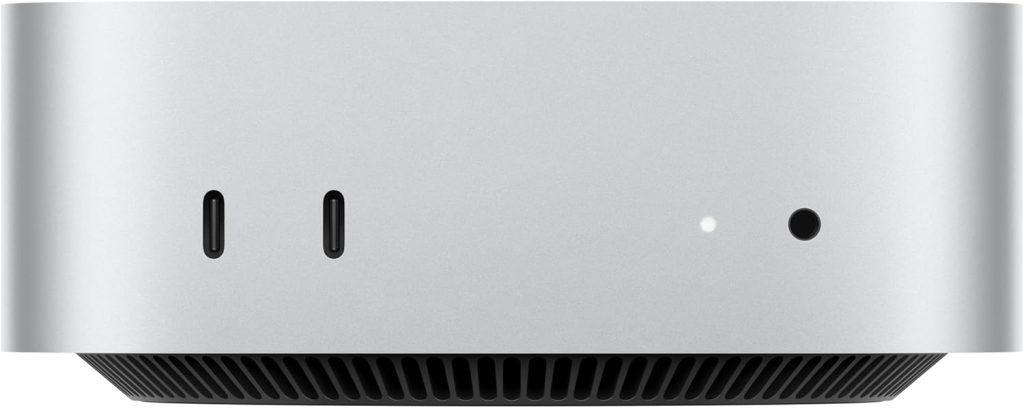
Verdict: A strong, low-fuss choice for a dedicated always-on OpenClaw node—especially if you live in Apple’s ecosystem—but storage is the biggest “listing-details” limitation.
Why it fits OpenClaw
- Desktop form factor suits 24/7 operation better than most laptops (no battery wear, typically steadier thermals).
- Gigabit Ethernet is a practical plus for a local agent that needs reliable connectivity for chat integrations and cloud model calls.
- 16GB unified memory is a sensible baseline for running an agent plus browser automation and tools.
Trade-offs
- 256GB SSD storage can feel tight for heavier local workflows (large repos, logs, caches, local model files); upgrades/expansion are not specified in the listing details provided.
- GPU/NPU capabilities beyond “10‑core CPU and GPU” and “Built for Apple Intelligence” are not specified in the listing details provided.
- Port selection beyond “Gigabit Ethernet” is not specified in the listing details provided.
Best for
- Apple-first households that want a quiet, always-on “assistant box.”
- People using iPhone/iPad who want the “Works with iPhone/iPad” ecosystem convenience.
- Users who expect to rely mostly on hosted models, and want a stable local controller for tools, browser actions, and integrations.
Budget mini PC
GEEKOM A5 Mini PC 2026 with AMD Ryzen 7 5825U, 16GB DDR4(Not LPDDR), 512GB NVMe SSD, 2.5″ SATA HDD, Radeon Vega 8 Graphics, Windows 11 Pro, 8K Quad Display, Dual HDMI, 6XUSB, SD 4.0 Slot
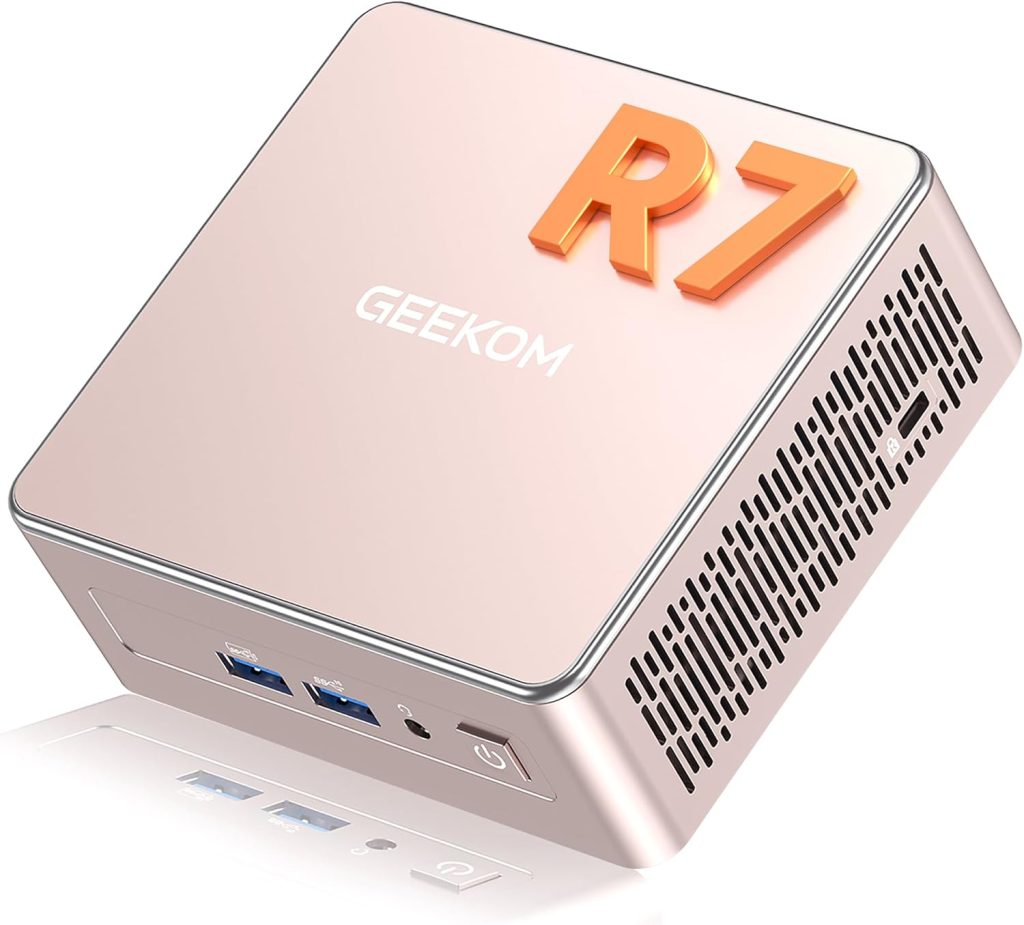
Verdict: A practical dedicated OpenClaw node for Windows users who want lots of I/O and decent storage without moving up to a full desktop tower.
Why it fits OpenClaw
- Windows 11 Pro aligns well with running OpenClaw as a local automation box while staying in a mainstream Windows tooling ecosystem.
- 16GB DDR4 and 512GB NVMe SSD are a solid baseline for agent + browser + multiple tools.
- Connectivity is a standout: Dual HDMI, 6XUSB, and an SD 4.0 slot make it easy to attach peripherals and handle “utility box” workflows.
Trade-offs
- GPU is “Radeon Vega 8 Graphics” (no dedicated GPU listed), so local-model acceleration may be limited compared with RTX desktops.
- Power draw and thermals are not specified in the listing details provided.
- Linux support is not specified in the listing details provided (OpenClaw supports Linux generally, but this product listing is Windows-focused).
Best for
- A small, dedicated “assistant node” that sits on a shelf and runs 24/7.
- Windows-first automations (PowerShell, Windows apps, Windows-centric workflows).
- People who want many ports without building a tower.
Mid-range desktop
iBUYPOWER Slate 6 Mesh Gaming PC Computer Desktop, 13th Gen Intel i5-13600KF, NVIDIA GeForce RTX 4060, 16GB DDR5 RAM, 1TB NVMe SSD, Liquid Cooled, RGB Keyboard and Mouse, Windows 11 Home, black
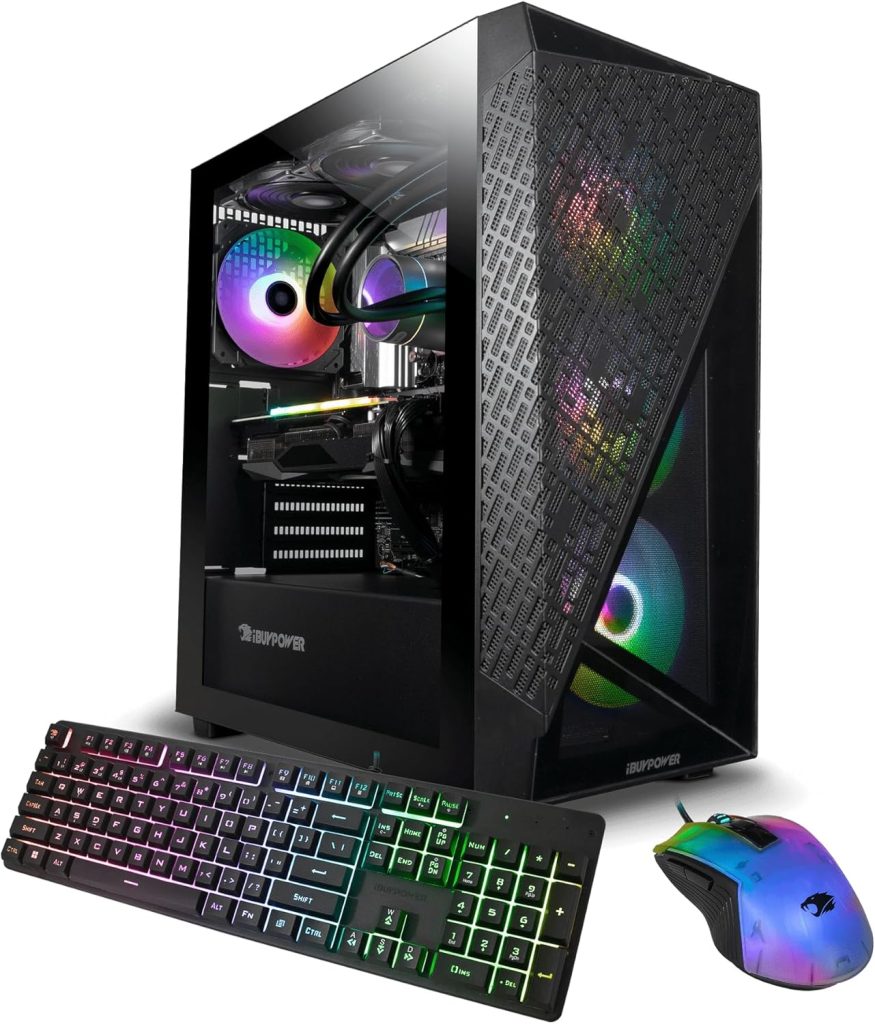
Verdict: The best “balanced” pick here if you want OpenClaw plus meaningful local AI headroom via an NVIDIA GPU, without stepping up to a high-RAM workstation.
Why it fits OpenClaw
- RTX 4060 gives you the option to run GPU-accelerated local models or other AI workloads on the same node (useful if you want more on-prem capability).
- 1TB NVMe SSD is comfortable for dev tooling, logs, and local data compared to smaller boot drives.
- Liquid cooled can help sustain performance and reduce noise under longer-running loads (exact thermals/noise not specified in the listing details provided).
Trade-offs
- Windows 11 Home may be less ideal than Pro for certain “lab” scenarios (domain join, some management features), and Windows edition upgrade options are not specified in the listing details provided.
- RAM is 16GB; that’s workable, but multi-agent/multi-service setups can want more headroom.
- Power draw is not specified in the listing details provided, and gaming desktops can be less efficient for 24/7 idle-heavy use.
Best for
- Developers and power users who want one box for agent automation plus GPU-enabled local AI experiments.
- Users who keep substantial local project data and want 1TB built in.
- Anyone who prefers a turnkey tower (keyboard and mouse included).
Prosumer workstation
Dell XPS 8960 Desktop Computer Tower – 14th Gen Intel Core i9-14900 24-Core Processor, 64GB DDR5 RAM, 4TB NVMe SSD, NVIDIA GeForce RTX 4060 Ti 16GB GDDR6 Graphics, Windows 11 Pro – Graphite Black
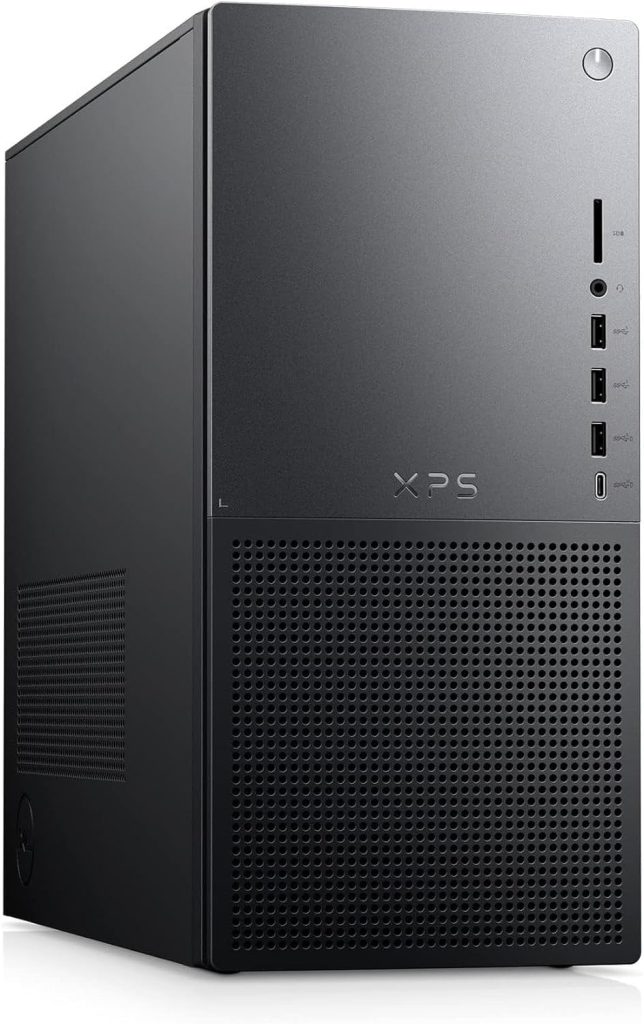
Verdict: The most capable always-on “local agent + on-prem AI lab” option in this list, with the best built-in RAM and SSD capacity for heavy parallel workflows.
Why it fits OpenClaw
- 64GB DDR5 RAM is the clearest differentiator for running multiple agents, services, databases, browser sessions, and toolchains concurrently.
- 4TB NVMe SSD is excellent for keeping lots of local state (repos, data, artifacts, logs, model files) without immediately needing external storage.
- RTX 4060 Ti 16GB adds meaningful GPU memory headroom for local AI workloads compared with smaller-VRAM GPUs (exact performance is not specified in the listing details provided).
Trade-offs
- Desktops take more space and are less portable by design.
- Power draw and acoustics are not specified in the listing details provided.
- This can be “more machine than you need” if you’ll only use hosted models and simple automations.
Best for
- Heavy automation: multiple concurrent workflows, scheduled jobs, and “always-on” integrations.
- On-prem experimentation where you want both high RAM and a capable NVIDIA GPU in the same box.
- Teams building and testing OpenClaw skills/plugins locally with lots of tooling running.
AI-ready developer laptop
acer Aspire 14 AI Copilot+ PC | 14″ WUXGA Display | Intel Core Ultra 5 Processor 226V | NPU: Up to 40 Tops – GPU: Up to 53 Tops | Intel ARC 130V | 16GB LPDDR5X | 512GB SSD | Wi-Fi 6E | A14-52M-51S1
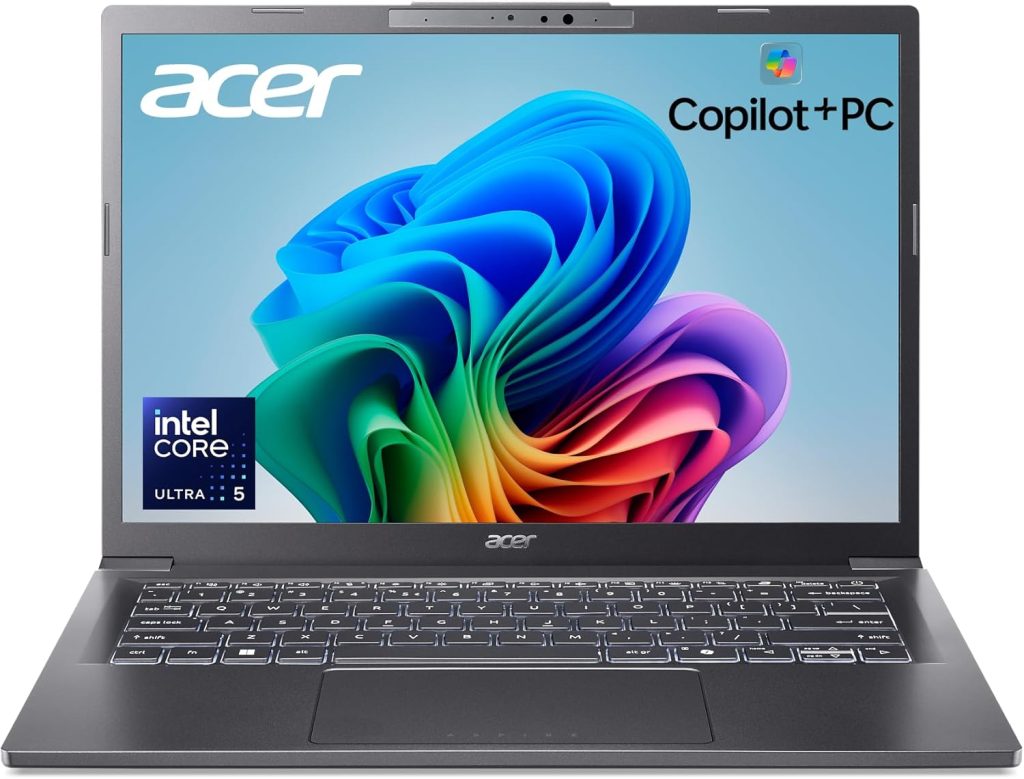
Verdict: A good “portable OpenClaw node” when you care about modern AI silicon and battery-friendly usage more than maximum local-model horsepower.
Why it fits OpenClaw
- The listing explicitly calls out an NPU (“Up to 40 Tops”) and GPU tops (“Up to 53 Tops”), which signals a platform aimed at AI-assisted workloads (exact real-world benefit depends on your stack and is not specified in the listing details provided).
- 16GB LPDDR5X and a 512GB SSD are a reasonable baseline for a developer laptop running an agent plus local tooling.
- Wi‑Fi 6E helps for stable connectivity when your agent is mobile and frequently calling services.
Trade-offs
- As a laptop, it’s not as ideal as a desktop/mini PC for a 24/7 node (battery aging, sleep behaviors, and thermals can complicate “always-on”).
- Port selection, upgradability, and sustained performance under long-running loads are not specified in the listing details provided.
- Dedicated NVIDIA GPU is not specified in the listing details provided (it lists Intel ARC 130V).
Best for
- Developers who want OpenClaw with them (travel, coworking, client sites).
- People experimenting with NPU-accelerated workflows in the Copilot+ PC ecosystem.
- A “single-machine” setup where the agent, dev tools, and comms run together on the go.
Performance AI laptop
acer Swift 16 AI Laptop 16″ 3k OLED Touch (100% DCI-P3) Intel 8-core Ultra 7 Series 2 256V (Up to 47 Tops) 16GB RAM 1TB SSD for Creator Designer Business Professional Win11 ICP Hub w/AI Copilot+ PC
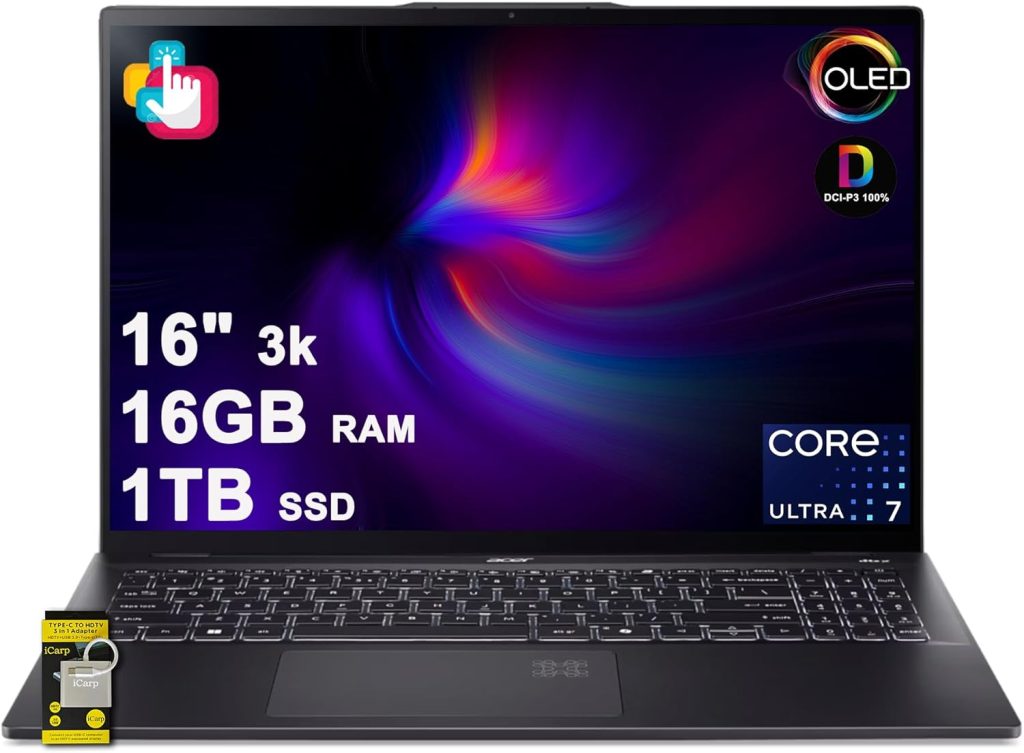
Verdict: The better laptop pick when you want a larger-screen mobile workstation feel and more built-in storage for OpenClaw + dev workloads, while staying in a modern AI-PC platform.
Why it fits OpenClaw
- 1TB SSD is a real quality-of-life improvement for local projects, automation artifacts, and general “agent node” clutter.
- The listing calls out “Up to 47 Tops,” indicating AI-focused silicon that may help in supported workflows (exact gains depend on your stack and are not specified in the listing details provided).
- A 16″ 3k OLED touch display can be genuinely useful for dev + monitoring dashboards + multi-window automation work (display benefits are qualitative).
Trade-offs
- RAM is 16GB; if you plan on heavier local AI + many concurrent tools, you may hit limits sooner than on the 64GB desktop.
- As with most laptops, long-running thermals, sustained performance, and “always-on” practicality are not specified in the listing details provided.
- Discrete NVIDIA GPU is not specified in the listing details provided.
Best for
- Mobile creators/developers who want a larger display and 1TB local storage.
- People who want a “serious” Windows laptop for OpenClaw plus modern AI-PC features.
- Users who run OpenClaw mostly as a personal on-the-go agent and occasionally as a temporary node.
Quick pick
- Want the simplest always-on home node in an Apple-centric setup: Apple 2024 Mac mini Desktop Computer with M4 chip with 10‑core CPU and GPU: Built for Apple Intelligence, 16GB Unified Memory, 256GB SSD Storage, Gigabit Ethernet. Works with iPhone/iPad.
- Want a small dedicated Windows assistant box with lots of ports: GEEKOM A5 Mini PC 2026 with AMD Ryzen 7 5825U, 16GB DDR4(Not LPDDR), 512GB NVMe SSD, 2.5″ SATA HDD, Radeon Vega 8 Graphics, Windows 11 Pro, 8K Quad Display, Dual HDMI, 6XUSB, SD 4.0 Slot.
- Want the best “balanced” desktop for OpenClaw plus local GPU AI experiments: iBUYPOWER Slate 6 Mesh Gaming PC Computer Desktop, 13th Gen Intel i5-13600KF, NVIDIA GeForce RTX 4060, 16GB DDR5 RAM, 1TB NVMe SSD, Liquid Cooled, RGB Keyboard and Mouse, Windows 11 Home, black.
- Want the most capable single-box on-prem automation + AI lab machine: Dell XPS 8960 Desktop Computer Tower – 14th Gen Intel Core i9-14900 24-Core Processor, 64GB DDR5 RAM, 4TB NVMe SSD, NVIDIA GeForce RTX 4060 Ti 16GB GDDR6 Graphics, Windows 11 Pro – Graphite Black.
- Want a portable dev-first node with explicit NPU details: acer Aspire 14 AI Copilot+ PC | 14″ WUXGA Display | Intel Core Ultra 5 Processor 226V | NPU: Up to 40 Tops – GPU: Up to 53 Tops | Intel ARC 130V | 16GB LPDDR5X | 512GB SSD | Wi-Fi 6E | A14-52M-51S1.
- Want a larger “mobile workstation” feel and more storage in a laptop: acer Swift 16 AI Laptop 16″ 3k OLED Touch (100% DCI-P3) Intel 8-core Ultra 7 Series 2 256V (Up to 47 Tops) 16GB RAM 1TB SSD for Creator Designer Business Professional Win11 ICP Hub w/AI Copilot+ PC.
Links may be affiliate links, which means I may earn a small commission if you purchase through them at no additional cost to you. This helps support the site and the time that goes into testing, writing, and keeping recommendations up to date. I only link products I’m discussing in the post.